 Summary
 Summary
Automated trip records reduce logistics paperwork by generating the trip itself, not just digitizing a form after the fact. When a vehicle’s movement matches a predefined pickup and delivery pattern, the system creates the trip automatically and captures route, timestamps, distance, duration, and driving-behavior data without a driver filling out a log or a dispatcher opening a new entry. The manual work that remains, like a waybill number, becomes a quick optional field instead of the entire record.
Key Takeaways
- Most fleet paperwork isn’t the waybill, it’s everything around it.
Route confirmation, start and end times, distance, duration, and delay explanations are traditionally rebuilt by hand after the fact. Automated trip records capture all of it the moment the trip happens. - Automation removes the recreation step, not just the writing step.
A driver radioing in a status and a dispatcher writing it down is two manual entries for one piece of information. A geofence-triggered trip record is one. - The record becomes reusable instead of disposable.
A paper trip sheet answers one question once. A structured, exportable trip report answers billing, customer service, and compliance questions repeatedly, from the same data. - The savings show up as hours, not just convenience.
In a TENDERD deployment across AD Ports terminals, equipment operators and coordinators saved roughly 1,040 man-hours annually on manual data collection alone, on top of a 30 percent improvement in equipment utilization.
Introduction
Somewhere in most fleet operations, there is a stack of trip sheets, a shared spreadsheet nobody fully trusts, or a messaging thread that doubles as the only record of what actually happened on a job. A driver notes down a pickup time. A dispatcher calls to confirm a delivery. Someone, usually days later, tries to reconstruct why a trip ran long when a customer disputes an invoice. None of this is anyone’s fault. It’s what happens when the record of a trip depends on a person remembering to write it down.
Automated trip records change where the record comes from. Instead of a person documenting a trip after it happens, the trip documents itself as it happens, triggered by the vehicle’s own movement against predefined pickup and delivery zones. This article looks at what that actually removes from a fleet’s paperwork load, how the automation works under the hood, and where manual input still genuinely belongs.
What Are Automated Trip Records?
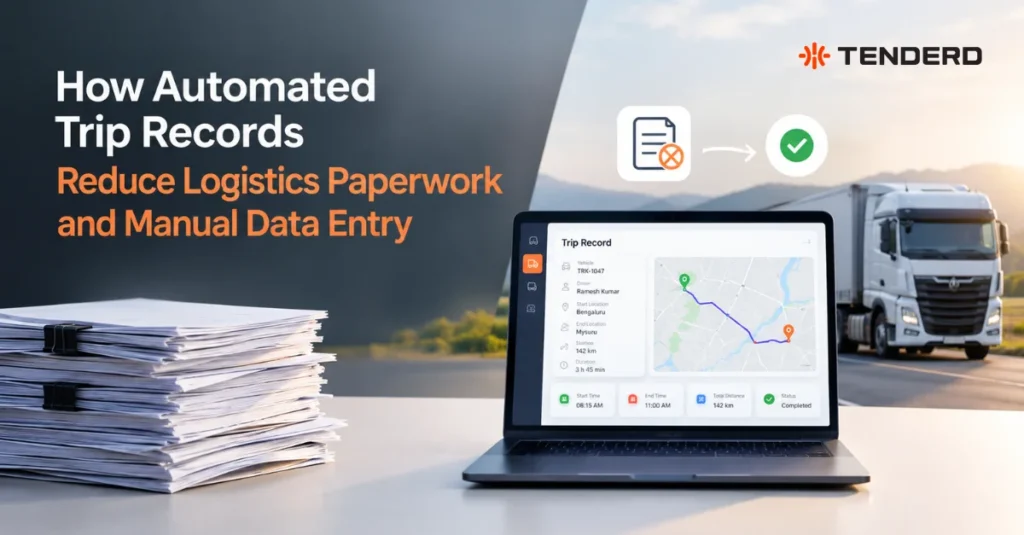
An automated trip record is a structured log of a shipment’s journey, covering the source and destination, timestamps, distance, duration, delays, and any driving-behavior events, generated by the system itself rather than typed in by a driver or dispatcher. In TENDERD’s Logistics module, this starts with a Trip Configuration: a reusable template that defines a route pattern, such as “Pickup Area → Delivery Area → Pickup Area,” built on top of geofences already categorized in the Track module.
When a vehicle’s location matches that pattern, the trip is created on its own. No one opens a new entry, selects a route, or starts a timer. The record exists because the movement happened, not because someone reported that it happened.
How Does Trip Record Automation Work?
The mechanics sit on three layers, each removing a different piece of manual work.
Geofences replace location entry.
Before any trip can be automated, pickup areas, delivery areas, and other relevant zones (a workshop, a debrief area) are drawn and categorized in the Track module. This is a one-time setup cost. Every trip afterward reuses these same zones instead of someone typing an address or a site name.
Trip Configurations replace route entry.
A Trip Configuration defines how a trip starts and completes, using geofence-event triggers such as “equipment exits origin” and “equipment enters final stop,” along with an auto-cancel timeout for trips that stall or never start. Once a configuration exists, it is reused for every matching trip. A dispatcher does not rebuild the route each time a truck makes the same run between a yard and a project site.
Live movement replaces manual logging.
With a Trip Configuration’s “auto-create trips on geofence match” setting turned on, the system opens a trip the moment a vehicle’s activity matches the pattern, tracks it through Live Trips with a running map and timeline, and closes it out into Completed Trips with the full metrics already attached: source, destination, distance, duration, and any delay or excessive rest flagged against a defined threshold. Unplanned stops, like a detour to a workshop, show up as flagged extra stops without breaking the trip record, so the exception is visible instead of silently missing.
What still involves a manual step is genuinely narrow. A waybill number and a load type can be added to a journey through a short edit form, and both are optional fields, not blockers to the trip record existing in the first place. That is a meaningful distinction: the trip gets documented whether or not anyone touches that form.
Why This Matters for Logistics Paperwork
The paperwork problem in fleet logistics is rarely one form. It’s the same information being written down, then rewritten, then reconciled against someone else’s version of the same trip.
A manual trip sheet is filled out once by a driver, often from memory rather than in the moment. A dispatcher separately logs a status update from a phone call. Finance later cross-references both against a delivery confirmation to close out billing. Each of those is a manual entry describing the same underlying event, and each is a place where a number gets transposed, a timestamp gets estimated, or a detail gets left out entirely.
Automated trip records collapse that into a single source. The route, timestamps, distance, duration, and any violations along the way are captured once, directly from the vehicle’s movement, and every downstream use, a customer status update, a billing reconciliation, an audit, draws from that same record instead of a separate retelling of it.
Key Benefits
- Trip creation stops being a task.
Dispatchers do not open a new entry for every routine run. A reusable Trip Configuration and geofence match do it automatically. - The record exists whether or not anyone fills out a form.
Distance, duration, timestamps, and delay flags are captured from movement, not from someone remembering to log them, so a busy day on-site does not mean a missing trip. - Delays come with an explanation attached.
Instead of a trip sheet that simply says a delivery was late, the system shows the exact overage against a threshold, for example a specific number of hours and minutes, and where in the route any driving-behavior events happened. - Disputes get resolved against a record, not a memory.
The Completed Trips Report exports trip ID, operator, load, source and destination, distance, duration, and violations in one structured file, giving finance and customer service teams something concrete to point to instead of asking a driver to recall a delivery from two weeks ago. - Setup effort front-loads, not repeats.
Drawing geofences and building Trip Configurations is upfront work. After that, the same template covers every matching trip without being rebuilt.
Automated Trip Records in UAE and GCC Construction and Logistics Operations
The paperwork burden compounds in exactly the environments TENDERD’s customers operate in: multi-site construction programs, port and terminal operations, and mixed fleets that combine owned vehicles with subcontractor-supplied equipment.
On the ALEC-managed Abu Dhabi SeaWorld project, coordinating 17 subcontractors across a large, complex site meant equipment usage and site logistics were easy to lose track of when every movement depended on someone reporting it. Centralizing that visibility contributed to a 25 percent improvement in equipment utilization and a 34 percent reduction in equipment downtime. At AD Ports, moving equipment tracking and reporting onto a connected platform reduced manual workload directly tied to data collection, saving roughly 1,040 man-hours annually across the monitored fleet, alongside a 30 percent improvement in equipment utilization and a 24 percent decrease in idling time.
Neither result came from eliminating a single form. It came from removing the underlying habit of re-documenting the same trip multiple times across multiple people.
Challenges and Limitations
It’s worth being direct about where automation does not remove all the manual work.
Geofence accuracy determines record accuracy.
A poorly drawn pickup or delivery zone will either miss a trip entirely or misclassify where it started and ended. The automation is only as good as the geofence setup underneath it, and that setup takes deliberate attention, not a five-minute pass.
Some fields are still genuinely manual by design.
Waybill number and load type are entered through a short edit form rather than captured automatically, since they depend on documentation that originates outside the vehicle’s movement, like a customs reference or a shipping manifest. Automation removes the trip-creation burden, not every piece of shipment metadata.
A new route pattern needs a new configuration first.
A one-off trip that does not match an existing Trip Configuration will not auto-create. Fleets with highly variable, non-repeating routes get less benefit from this specific automation than fleets running recurring lanes between known pickup and delivery points.
Adoption still has to happen.
A system that removes manual entry only helps if dispatchers and operations teams actually stop keeping the old parallel spreadsheet “just in case.” That habit change takes a deliberate rollout, not just access to the platform.
Implementation: Getting the Paperwork Reduction You Expect
Start with the geofences, not the trip templates.
Categorize pickup areas, delivery areas, and any other relevant zones (workshops, debrief areas) in the Track module before configuring a single trip. This is the foundation everything else depends on.
Build Trip Configurations around your actual recurring lanes.
Identify the routes your fleet runs repeatedly, a yard to a project site and back, a factory to a delivery point, and define those first. This is where the volume of manual entry lives, so it’s where automation pays off fastest.
Turn on auto-create deliberately, not by default everywhere.
For genuinely one-off or highly variable routes, manual trip creation may still be the more practical option. Reserve auto-create for the configurations where the pattern is reliable.
Decide who owns waybill and load entry, and when.
Since these remain manual fields, assign clear responsibility, at pickup, at dispatch, or at delivery, so they don’t quietly go unfilled the way they can when there’s no defined trip record to attach them to.
Review the Completed Trips Report with the teams who’ll actually use it.
Finance, customer service, and operations each pull different value from the same export. Confirm the report gives each team what they need before treating the rollout as finished.
| Area | Manual trip sheet | Automated trip record |
|---|---|---|
| Trip creation | Opened by hand for every job | Created automatically on geofence match |
| Route and timestamps | Recorded from memory or a phone call | Captured directly from vehicle movement |
| Delay explanation | A late status with no detail | Exact overage shown against a defined threshold |
| Record for billing or disputes | Scattered across notes, calls, and memory | A structured, exportable report per trip |
| Effort per trip | Repeated in full every time | Front-loaded once in geofence and configuration setup |
The Bottom Line
Reducing logistics paperwork isn’t really about digitizing a form faster. It’s about not needing anyone to recreate the trip in the first place. When a trip record is generated from the vehicle’s own movement against a defined route, the route, timestamps, distance, and duration exist whether or not a driver remembers to log them or a dispatcher gets around to writing them up. What’s left to fill in by hand shrinks down to the genuinely external details, like a waybill number, instead of the entire record.
If your team is still reconstructing trip details from memory, phone calls, or a driver’s paper log at the end of the day, it may be worth seeing what an automated trip record actually looks like on your own routes. Book a demo of TENDERD Logistics to see geofence-triggered trip creation and a completed-trip report working on your fleet’s actual data.
Frequently Asked Questions
Does automated trip tracking remove all manual data entry?
No. It removes the manual work of creating a trip and logging its route, timestamps, distance, and duration. Fields like waybill number and load type are still entered through a short edit form, since they depend on documentation that doesn't originate from the vehicle's movement itself.
How does a trip get created without a dispatcher opening one manually?
Through a Trip Configuration: a reusable template built on categorized geofences that defines how a trip starts and completes. When a vehicle's activity matches that pattern and auto-create is enabled, the trip is generated on its own.
What happens to unplanned stops or detours?
They're flagged as extra stops without breaking the trip record, so the exception is visible rather than either lost or treated as a data error.
Can this work for one-off trips that don't follow a regular route?
Not automatically. A trip needs to match an existing Trip Configuration to auto-create. Highly variable, non-repeating routes get less benefit from this specific automation and may still be created manually.
What does the exported trip report actually include?
At minimum, the trip ID, operator, load, source and destination locations and times, distance travelled, duration, and any violations, giving finance, customer service, and operations a shared, structured record instead of separate versions of the same trip.