 Summary
 Summary
A regional manager overseeing several active project sites has no way to know what any of them are actually doing right now without calling a site supervisor and asking. This blog covers why visibility across multiple projects tends to depend entirely on someone else remembering to update you, and how live location, status, and geofence tracking from a single platform removes that dependency.
Knowing What’s Happening Requires Someone Else to Tell You
A regional operations manager oversees four active project sites. To find out whether a specific excavator arrived at its new site yet, or whether a delivery truck has left the yard, the only real option is calling the site supervisor and asking. If that supervisor is mid-task, in a meeting, or simply forgot, the answer arrives late, secondhand, and sometimes inaccurate, because it is based on someone’s memory of what they last noticed rather than what is actually happening right now.
This is what “I can’t see what’s happening across all my projects unless someone updates me” means in practice. It is not that the information doesn’t exist. Every machine has a location, an engine state, and a status at any given moment. It is that none of it is visible to the person who needs it without a phone call, a text, or a supervisor happening to remember to mention it, which means visibility across a multi-site fleet is only ever as good as the last person who bothered to report in.
Why Does Cross-Project Visibility Break Down as a Fleet Grows?
A single-site operation can get away with informal updates, because the person in charge is usually close enough to see things directly. The moment a fleet spreads across multiple sites, regions, or contractors, that informal channel stops scaling. Every additional site is another person who has to remember to report status, another phone number to call, another gap where a machine simply isn’t mentioned because nothing seemed unusual enough to flag.
The result is a manager who only hears about a problem once it has already become visible enough that a supervisor thought it was worth mentioning: a machine that has been sitting idle for hours, a vehicle that entered somewhere it shouldn’t have, an asset that never actually arrived at its assigned site. By the time it gets reported, whatever caused it has often already been happening for a while.
How Do Managers Typically Try to Stay Informed Across Multiple Sites Today?
- Call or message site supervisors directly to ask for a status update on a specific machine.
- Wait for a daily or weekly check-in call to hear about anything unusual that happened across sites.
- Rely on a supervisor’s judgment about what counts as worth reporting, rather than seeing the raw status directly.
- Discover a problem, an idle machine, a missed delivery, a vehicle off its expected route, only when someone else finally mentions it.
- Reconstruct a machine’s recent activity after the fact by asking multiple people what they remember, since there is no single record to check.
Every one of these approaches depends on another person’s attention, memory, and willingness to report, which is a fragile substitute for simply being able to look it up directly.
What Changes When Every Machine Reports Its Own Status Live?
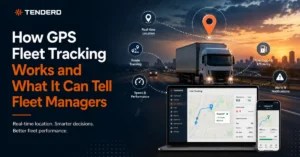
The fix is removing the dependency on someone else noticing and reporting in the first place. Every piece of equipment across every site reports its live location and status to one shared view, with a colour-coded state that makes the current situation obvious at a glance: actively working, idling with the engine on, switched off, or not connected at all. A manager can see, without calling anyone, exactly which machines are working right now and which ones are sitting idle across every site at once.
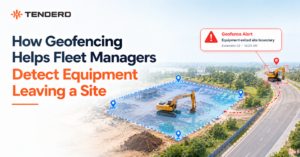
Drilling into a specific machine shows its recent location history for any selected date, alongside charts for ignition, speed, distance, and fuel level, so a manager can reconstruct exactly what a machine was doing without needing to ask a supervisor to recall it from memory. Geofences drawn around specific locations, a yard, a project site, a restricted zone, add another layer: entering or exiting a geofence is logged automatically, and a restricted geofence can be configured to flag an alert the moment an unauthorized machine enters it, catching a problem the moment it happens rather than whenever someone happens to notice and mention it. A consolidated analytics view rolls all of this up across the whole fleet, run hours, idling patterns, top and bottom performing equipment, and violation history, filterable by date range, so a manager gets a fleet-wide picture without visiting every site individually.
Manual Site Check-Ins vs. Live Fleet Visibility
| Factor | Manual Site Check-Ins | Live Fleet Visibility |
| Checking a machine’s current status | Call or message the site supervisor | Check a colour-coded map in seconds |
| Detecting an idle or misplaced machine | Only if a supervisor happens to notice and mention it | Visible immediately on the live view |
| Reconstructing recent activity | Ask around and rely on memory | Pull location history and ignition, speed, and fuel charts directly |
| Restricted zone entry | Discovered after the fact, if at all | Flagged automatically the moment it happens |
| Cross-site comparison | Requires separately checking in with every site | One consolidated analytics view across the fleet |
Common Mistakes That Keep Cross-Project Visibility Manual
- Relying on scheduled check-in calls instead of an always-available live view.
- Treating a supervisor’s judgment about what’s “worth mentioning” as a substitute for seeing raw machine status directly.
- Having no geofence set up around key locations, so unauthorized entry or a missed arrival goes unnoticed until someone happens to spot it.
- Reviewing each site’s activity separately, rather than through one consolidated, fleet-wide view.
- Waiting for a problem to become obvious enough to report, rather than being able to check proactively at any time.
Why This Matters More as Operations Spread Across Multiple Sites
Fleets running projects across multiple regions, provinces, or contractor sites are increasingly expected to give clients and internal stakeholders immediate answers about where equipment is and what it’s doing, whether that’s for a project status update, a billing dispute, or a safety incident review. A manager who can only answer those questions after a round of phone calls is working at a real disadvantage against one who can pull up a live, colour-coded view of every site at once, and that gap only grows as more sites and more equipment get added to the mix.
How TENDERD Helps Keep Every Project Visible From One Place
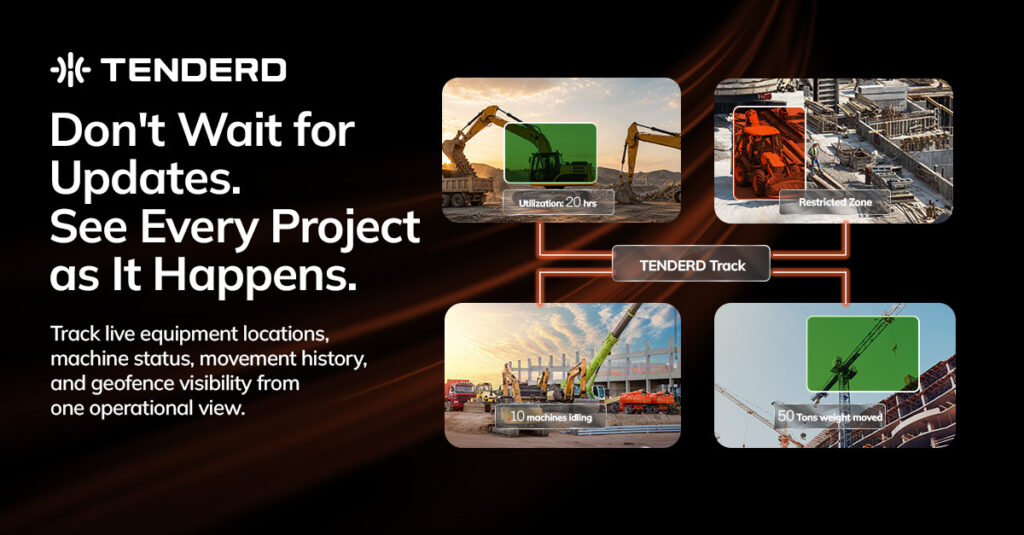
TENDERD’s Track module gives every piece of equipment across every site a live location and colour-coded status, working, idling, off, or disconnected, visible from a single platform without needing to call anyone. Drilling into a machine shows its location history alongside ignition, speed, distance, and fuel charts, geofences can be configured as standard or restricted to automatically flag unauthorized entry, and a consolidated analytics view rolls up run hours, idling, top equipment rankings, and violation history across the whole fleet, filterable by date range.
The Bottom Line
Visibility across multiple projects should not depend on someone else remembering to call. The fleets that manage multi-site operations well are the ones where every machine reports its own live status to one shared view, so a manager can answer “what’s happening right now” by looking, not by asking.
Want to see what live visibility across all your project sites would look like from one screen? Get in touch with the TENDERD team for a walkthrough: Book a Demo
Frequently Asked Questions
Why is it hard to know what's happening across multiple project sites without someone updating you?
Machine location and status data exists at every site, but without a shared live view, the only way to access it is through a phone call or message to whoever is physically present, which depends entirely on that person's attention and memory.
How does live GPS tracking reduce dependence on manual check-ins?
A live, colour-coded map shows every machine's current status, working, idling, off, or disconnected, without needing to contact anyone, so a manager can check on any site directly instead of waiting for someone to report in.
What is a geofence, and why does it help with multi-site visibility?
A geofence is a virtual boundary drawn around a location, such as a yard or a restricted zone. Entry and exit are logged automatically, and a restricted geofence can flag an alert the moment an unauthorized machine enters, catching an issue immediately rather than after the fact.
Can fleet managers see a machine's history, not just its current status?
Yes. A machine's location history for a selected date, along with charts for ignition, speed, distance, and fuel level, can be reviewed directly, without needing to reconstruct it from someone's memory of what happened.
How does a fleet-wide analytics view help across multiple sites?
A consolidated view of run hours, idling patterns, top and bottom performing equipment, and violation history across the entire fleet, filterable by date range, gives a manager a cross-site picture without needing to check in separately with every location.