 Summary
 Summary
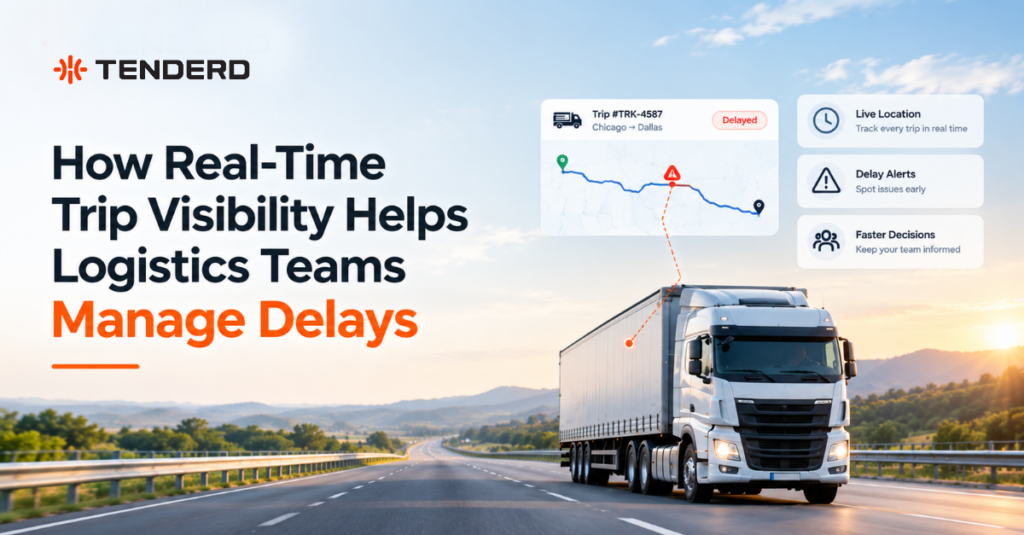
Real-time trip visibility helps logistics teams manage delays by showing where every in-progress delivery is, which leg it is on and whether it is running late, without a call to the driver. Delays are flagged against a defined threshold with the exact overage shown, so dispatchers can warn the customer and adjust the plan early. Afterwards, the completed trip record shows whether the time was lost before departure, on the road, at the stop or during rest.
Key Takeaways
- A delay costs the most when it is discovered late. Live trip status moves the discovery from the customer’s complaint to the dispatcher’s screen.
- “Late” is not a diagnosis. Time is lost in four places: a late departure, the road, the stop, or driver rest. Each needs a different fix.
- Per-leg records turn a delay into a pattern. Repeated problems on one route or one site stop being anecdotes.
- Automation keeps the record complete. Trips created from geofence activity are captured even on the busiest days.
Introduction
A delivery rarely becomes late in one moment. The truck leaves the yard forty minutes behind plan, reaches the first drop on time anyway, then waits ninety minutes for a forklift. By the third stop the trip is two hours behind, and the first person at head office to hear about it is the account manager, from the customer.
None of this is hidden from the driver. It is hidden from everyone else. This article explains what real-time trip visibility is, where delays actually enter a trip, and how logistics teams in the UAE and GCC can use trip data to handle a late delivery on the day and stop it from recurring.
What is Real-Time Trip Visibility?
Real-time trip visibility is a live view of every delivery in progress, organized around the trip and not only the vehicle. Vehicle tracking answers “where is truck 14?” Trip visibility answers “where is the delivery truck 14 is carrying, and will it be late?”
In TENDERD, this is the job of the Logistics module. One Trip ID can cover a multi-stop journey, such as pickup, delivery and return, with each segment tracked as its own journey. The Track module supplies the live location and geofences underneath.
How it Works
Stops are defined as geofences. Pickup points, delivery sites and depots are drawn on the map, and the system logs when a vehicle enters or exits one. That gives every trip objective start and arrival times.
Routes are saved as templates. A Trip Configuration, for example “Pickup > Delivery > Pickup,” defines the stop sequence and the rules: the trip starts when the equipment exits the origin and completes when it enters the final stop.
Trips create themselves. With automatic trip creation on, a trip is generated the moment a vehicle’s activity matches a configured geofence pattern. No dispatcher has to open it.
Status and alerts are live. Every in-progress trip shows its machine, operator, start point, destination and status, and can be opened on a live map. Delay and Rest alerts notify the team when a trip runs beyond the defined threshold or an operator rests too long.
Completed trips keep distance, duration and violations per leg, with a “Delayed by” or “Rested for” annotation wherever one applies.
Why Delays are Hard to manage without it
Without live status, the first signal of a delay is often the customer asking where the delivery is. Checking status means calling drivers, which does not scale past a handful of trips. A week later, nobody can say with confidence whether the truck left late, sat at the gate or took a long break, so the same delay repeats on the same route.
Where a Delay actually comes from
A late delivery is a symptom. The useful question is where in the trip the time went.
| Where the time is lost | What it looks like in trip data | Who can fix it |
|---|---|---|
| Before departure | The trip starts later than its estimated departure (ETD variance) | Yard, loading and dispatch planning |
| On the road | A leg overruns and is flagged “Delayed by” with the overage | Route and schedule planning |
| At the stop | A long time at destination after arrival | The customer or site, raised commercially |
| During rest | A “Rested for” annotation beyond what is expected | Driver management and shift planning |
Take an illustrative example. A truck due to leave at 06:00 leaves at 06:45. The first leg runs to its normal duration. The truck then spends 1 hour 50 minutes at the first site, and the second leg is flagged as delayed by 35 minutes. On a late/on-time report, that is one late delivery blamed on the driver. Read leg by leg, it is a loading problem, a waiting-time problem and a modest overrun on the road.
The Logistics module records each of these. Delay and rest annotations appear per leg, and the downloadable Completed Trips Report adds ETD Variance and Time at Destination for every journey.
Key Benefits for Delay Management
Earlier warning. An alert while the trip is still running lets you tell the customer the delivery will be an hour late, not apologize afterwards.
Answers without a phone call. Customer service can see a live trip’s status and current leg themselves.
Dispatchers manage exceptions. When routine trips report their own progress, attention goes to the few running late.
A cause, not just a result. Driving-behavior events such as harsh acceleration are plotted on the route map with a timestamp and GPS coordinates.
A record that settles disputes. Each completed trip holds the waybill number, times per leg, distance and duration, and can be exported.
Trip Visibility in UAE and GCC Logistics
Routes in the region often run long distances between cities, industrial zones, ports and remote sites. Many deliveries involve gated facilities where security checks and offloading queues decide how long a vehicle stays, and fleets frequently mix owned and subcontracted vehicles, which makes a shared trip record more valuable than each party’s own account.
IFFCO’s logistics division runs refrigerated trucks, pickups and delivery vans between production plants, warehouses and retail clients across the UAE and KSA. Before deploying TENDERD, the fleet had no centralized visibility, and the lack of live tracking contributed to inefficient dispatching and delivery delays. TENDERD deployed a visibility solution built around the Track module with temperature monitoring sensors, now covering 388 vehicles. IFFCO reported that delivery schedules became more consistent and dependable, supported by live tracking and proactive trip monitoring.
Limitations to be Aware of
- Visibility does not remove the cause. A slow loading bay stays slow until someone changes how it runs.
- Thresholds have to fit the operation. Too tight and alerts are ignored; too loose and the delay is already a complaint.
- Geofences decide data quality. A badly drawn or missing delivery zone produces trips that start late on paper or never complete.
- Someone has to own the alert. An alert with no owner changes nothing.
Best Practices
- Template your highest-volume routes first, so automatic trip creation and alerts pay back immediately.
- Draw geofences around where vehicles actually stop, such as the gate or loading area.
- Set thresholds from real trip history, not from the planned schedule alone.
- Agree who informs the customer and who re-plans before an alert fires.
- Review completed trips weekly by cause. The category with the most lost hours is where to spend effort.
Conclusion
Delays will always be part of logistics. What matters is how early a delay is seen and how precisely its cause is understood. Real-time trip visibility puts a late leg in front of the dispatcher while the customer can still be warned, and leaves a record showing whether the time went at the yard, on the road, at the gate or during rest.
If your team still learns about late deliveries from the people waiting for them, book a demo of TENDERD Logistics to see your own routes laid out leg by leg.
Frequently Asked Questions
What is the difference between vehicle tracking and trip visibility?
Vehicle tracking shows where a truck is. Trip visibility shows where a delivery stands against its plan: which leg it is on, when it left the last stop and whether it is running late.
How are delays detected on a live trip?
Each trip is checked against a defined threshold. When a leg runs beyond it, a delay alert is raised, and the completed trip record shows the exact overage for that leg.
Can real-time trip visibility prevent delays?
It cannot remove traffic or a slow loading bay. It shortens the time between a delay starting and someone acting on it, and it shows which routes and stops cause delays repeatedly.
Can trip data settle a late-delivery dispute?
Yes. A completed trip record holds the start and arrival time for every leg, the distance, the duration and the waybill number, and it can be exported as a report.