 Summary
 Summary
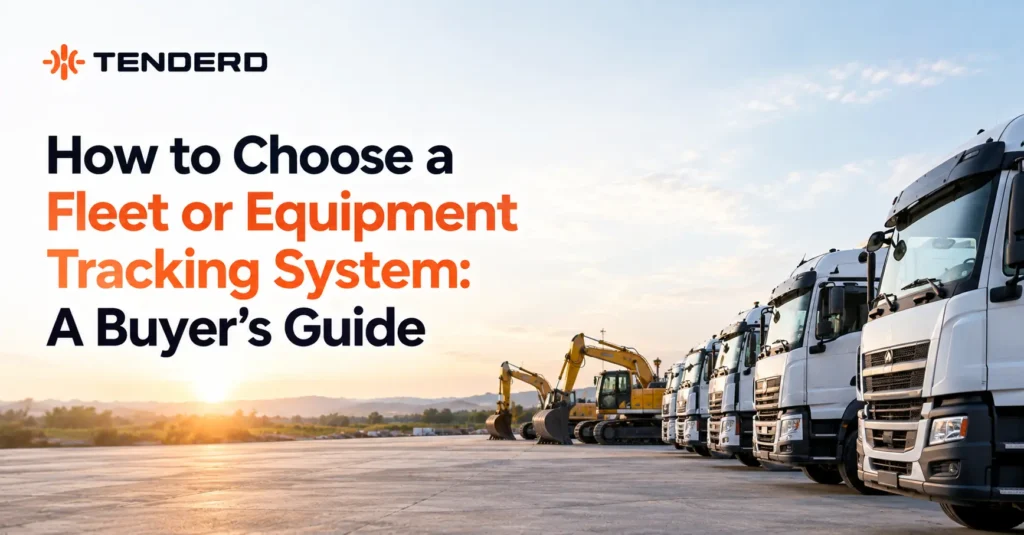
Choosing a fleet or equipment tracking system starts with an honest inventory of what you actually operate, vehicles, heavy equipment, or both, and who owns it, since most systems are built for one and bolted onto the other. From there, evaluate coverage across your real fleet mix, geofencing depth, how operators are identified, whether fuel and maintenance data connect to what tracking captures, and whether the system covers rented and subcontractor-supplied machines on the same terms as your own. A system that handles a light-vehicle fleet well does not automatically handle a crane, a generator, or a compactor the same way.
Key Takeaways
- Most fleet tracking buyer’s guides are written for light-vehicle fleets. A mixed fleet with heavy equipment needs different evaluation criteria, particularly around sensing hardware, operator identification, and multi-owner coverage.
- Fuel and maintenance data quality depend on what sensing hardware is installed per machine, not just which software you buy. This is a question worth asking before signing, not discovering after.
- On a construction site, the system’s value depends on covering rented and subcontractor-supplied equipment, not just what your own company owns.
- The most common evaluation mistake is treating a demo built around a handful of vehicles as representative of how the system will perform across a mixed, multi-site fleet.
Introduction
Buying a fleet tracking system is usually framed as a features comparison: which platform has the best map, the most alerts, the cleanest dashboard. That framing works reasonably well for a company running fifty delivery vans on fixed routes. It breaks down quickly for a construction fleet running trucks alongside cranes, generators, and compactors, some owned, some rented, some supplied by subcontractors, across several active sites at once.
This guide is written for that second situation: evaluating a tracking system for a mixed heavy-equipment fleet, where the wrong evaluation criteria can leave you with a system that tracks half your operation well and the other half not at all.
Start with an Honest Inventory, Not a Feature List
Before comparing vendors, it helps to write down what you are actually trying to track, in plain terms. A fleet inventory for this purpose has three parts: what kinds of assets you run (vehicles, and separately, which categories of heavy equipment), who owns each category (company-owned, rented, or subcontractor-supplied), and where they operate (a single yard, or multiple active project sites).
This matters because a demo built around a handful of pickup trucks will look impressive regardless of which vendor is presenting it. The real test is whether the same system, the same hardware options, the same reporting, holds up once you add a crane, a compactor, and three subcontractors’ machines into the picture.
Key Evaluation Criteria
Each criterion below includes what a well-built system looks like in practice, illustrated with how TENDERD’s Track, Fuel, and Maintenance modules approach it, so the standard being described isn’t abstract.
Coverage across your actual equipment mix, not just vehicles
Ask specifically how the system handles heavy equipment, not just whether it “supports” it. A vehicle plugs into an OBD port; a crane or a generator typically needs a different installation approach entirely. Ask what happens for equipment types the vendor has less experience with, and ask for a reference customer running a fleet mix similar to yours, not just a general customer list.
In TENDERD’s Track module, every machine, whether a pickup truck or a crane, is held in the same structured record: brand, model, machine type, capacity with its own unit, registration, and a custom ID, alongside live telemetry and diagnostics. A fleet manager works from one consistent record structure regardless of equipment type, rather than a system that treats heavy equipment as a bolt-on to a vehicle-first design.
Geofencing depth
Basic geofencing tells you a machine crossed a boundary. Depth matters more than the basic capability: can you classify some boundaries as restricted zones that warrant closer attention than an ordinary site perimeter, does the system log both entry and exit with a timestamp, and can geofences be drawn and adjusted easily as a project site physically changes over its lifecycle. A system that treats every boundary the same, with no way to distinguish a routine site edge from a high-value equipment yard, will generate the same volume of alerts for both, which tends to lead to alert fatigue.
TENDERD’s Geofences tab supports project sites, camps, parking areas, and a distinct Restricted Zone classification, flagged separately in the list so it doesn’t blend into ordinary boundaries. Every crossing logs to a Geofence Timeline, viewable by status, by geofence, or by operator, with quick range controls for yesterday, the last 7 days, the last 30 days, or a custom range, and boundaries can be imported from KML or drawn directly on the map.
Operator identification, not just machine identification
On a single-owner vehicle fleet, knowing which truck moved is often enough. On a construction site with several subcontractors’ crews rotating through the same equipment pool, knowing which machine moved is not the same as knowing who was operating it. Ask how the system identifies the operator, whether that requires an RFID tag or similar physical credential, and how straightforward it is to enroll a new operator, since subcontractor crews turn over more often than a typical driver roster.
TENDERD links an operator’s RFID or iButton key to a specific machine for automatic identification, tying trip and violation history to a person rather than just a vehicle ID. Where no operator is currently linked, the field shows as locked rather than silently guessed at, which matters on a site where crews rotate through shared equipment.
Fuel data: what it actually depends on
This is the criterion most buyer’s guides skip entirely, and it is worth asking about directly. Fuel-related features, detecting a sudden drop that might indicate theft or a leak, separating fuel burned working from fuel burned idling, are typically only as good as the sensing hardware installed on each specific machine. A machine reading fuel data straight from its own diagnostics can usually support the full picture: consumption, the working-versus-idling split, and drop or refill detection with a confidence score. A machine with no dedicated fuel sensor at all will usually still show a basic consumption estimate, but not the deeper detection and split. Before buying, ask the vendor directly: for each equipment type in your fleet, what sensing method is available, and what does the fuel report actually show for a machine that isn’t wired to the fullest sensing option. A vendor who answers this precisely, machine type by machine type, is a good sign. A vendor who answers only in general terms about “full fuel visibility” is worth pressing further.
TENDERD’s Fuel module is built around exactly this distinction rather than papering over it. It discloses which sensing method is behind each machine’s numbers, and for machines reading data from the vehicle’s own diagnostics, it supports the full picture: consumption, the working-versus-idling split, and drop or refill detection carrying a confidence score. Every flagged event opens into a synchronized replay, fuel level, speed, engine RPM, and location together, and the system discloses how many readings it filtered out as sensor noise rather than hiding that judgment call. That transparency, showing its work rather than asserting a number, is what to look for in any vendor’s answer.
Whether maintenance connects to tracking, or sits apart from it
A machine’s usage data, hourmeter readings in particular, is what a proactive maintenance schedule should be built on: servicing based on actual running hours rather than a fixed calendar date that has no relationship to how hard the machine has actually worked. Ask whether tracking and maintenance share the same machine record, or whether they are separate systems that require someone to manually reconcile hourmeter readings between them. The latter reintroduces exactly the kind of manual, error-prone process that tracking is meant to remove.
TENDERD’s Maintenance module schedules preventive work on either a calendar interval or a running-hours interval read from the same hourmeter Track already captures, so a service trigger reflects actual usage without anyone re-entering a reading by hand. Every job, scheduled or reactive, carries its own costed checklist and a full activity log from creation to completion.
Coverage for rented and subcontractor-supplied equipment
This is the criterion a construction buyer needs that a light-vehicle fleet buyer typically does not. Ask explicitly whether the system can onboard equipment your company does not own, at the same tracking standard as your own fleet, and how quickly a new subcontractor’s machine can be added when a new trade mobilizes onto a site. A system that only tracks company-owned assets well leaves the exact visibility gap that causes redundant equipment requests and idle machines nobody can account for.
This is where evidence matters more than a feature claim. On ALEC’s Abu Dhabi SeaWorld project, TENDERD centralized tracking across 130 assets spanning 17 subcontractors on one platform, replacing a fragmented, per-subcontractor view with a single shared record. The result was a 25 percent improvement in equipment utilization and a 34 percent reduction in downtime, achieved without adding equipment to the site, which is the direct payoff of a system that treats multi-owner coverage as a core requirement rather than an edge case.
Scalability across sites, not just across vehicle count
Scalability is usually framed as “does it handle more vehicles.” For a construction fleet, the more relevant question is whether the system handles more active sites cleanly, geofences scoped correctly per project, reporting that can be filtered by site as well as by machine, and a structure that doesn’t collapse into one undifferentiated list once you are running four project sites instead of one.
TENDERD organizes machines into Groups, for example one per project, and a Group’s Tracking map, Operators roster, Geofences, and schedule Settings (project name, daily hours, working days) all scope to that Group. Adding a new site means adding a new Group rather than restructuring how the whole fleet is organized.
Mobile and field access
Fleet managers and supervisors are rarely at a desk. Confirm the system’s mobile experience covers what a site supervisor actually needs in the field, checking a machine’s status, confirming a geofence crossing, reviewing a violation, rather than only a full desktop dashboard with a stripped-down mobile afterthought.
TENDERD’s mobile app carries live map tracking, route replay with adjustable playback speed, and a dedicated notification feed covering restricted-geofence violations, extended idle or rest alerts, and equipment or operator document expiry, alongside mobile views of maintenance status and live logistics trips. A supervisor in the field can confirm what’s happening without waiting to get back to a desktop.
Reporting depth and audit trail
When a dispute comes up, over rental hours, a subcontractor’s equipment claim, or an insurance question, the value of a tracking system is whether it can produce a defensible record: a timestamped violation and geofence history tied to a specific machine and operator, exportable as a report. Ask to see an actual sample report, not a description of reporting capability.
TENDERD keeps a per-machine violation log (overspeeding, harsh acceleration, harsh braking, each with date, time, geofence, and operator) alongside the geofence timeline in the same record, and maintenance jobs carry their own downloadable reports. The record a dispute gets resolved against is the same one the fleet manager already works from day to day, not a separate export built after the fact.
What a Fleet-Ready System Looks Like, Checklist View
A compact way to carry this evaluation into a vendor conversation, with how TENDERD approaches each line:
- Equipment coverage: one structured record per machine, vehicle or heavy equipment, holding identity, telemetry, and diagnostics together.
- Geofencing: site, camp, and Restricted Zone boundaries with a full entry/exit timeline, filterable by status, geofence, or operator.
- Operator identification: RFID/iButton linking per machine, with an unlinked operator field shown as locked rather than assumed.
- Fuel data: sensing method disclosed per machine, confidence-scored drop and refill detection, and a synchronized event replay for investigation.
- Maintenance integration: service scheduling driven by the same hourmeter data Track already captures, not a separate manual reconciliation.
- Multi-owner coverage: subcontractor and rented equipment tracked on the same platform and standard as owned assets, evidenced at 130 assets across 17 subcontractors on ALEC’s Abu Dhabi SeaWorld project.
- Scalability: new sites added as Groups, scoping their own map, operators, geofences, and schedule without restructuring the fleet.
- Mobile access: live map, route replay, and field-relevant alerts (restricted-zone violations, document expiry, idle time) available without a desktop.
- Reporting: per-machine violation and geofence history in the same record used day to day, not a separate audit-only export.
Questions Worth Asking Every Vendor
- How does the system handle heavy equipment differently from vehicles, and can I see it running on equipment types similar to mine?
- What sensing hardware does each of my equipment types need, and what does the report look like for a machine without the fullest sensing option installed?
- Can subcontractor-supplied or rented equipment be added to the same platform, and how quickly?
- Does maintenance scheduling use the same usage data as tracking, or are they separate systems I’ll need to reconcile manually?
- How is an operator identified on a shared machine, and how easy is it to enroll a new operator?
- Can I see a real violation and geofence report, not a mockup, for a fleet similar in size and mix to mine?
- What happens to my historical data if I switch systems later?
Common Mistakes Buyers Make
- Evaluating on a vehicle-only demo. A polished demo built around light vehicles tells you very little about how the same system performs on a crane or a generator. Ask specifically to see heavy equipment in the demo, not just cars and trucks.
- Treating subcontractor coverage as an afterthought. If the system is chosen and rolled out before anyone asks whether subcontractor equipment can be added, that gap tends to surface only once the fragmented visibility problem shows up again on-site.
- Assuming every machine will report the same depth of data. Without asking about sensing hardware per equipment type, it’s easy to assume a fleet-wide dashboard means fleet-wide data depth, when in practice some machines may only report a basic estimate.
- Buying for today’s fleet size only. A system that works cleanly for one active site can behave very differently once scaled to several, particularly for geofence management and reporting structure.
- Skipping the reference check. A reference customer running a genuinely similar fleet mix and operating environment is worth more than a long feature list.
Weighing the Cost
A tracking system’s cost is easiest to evaluate against what it replaces, not in isolation. The baseline most construction fleets are actually running against is phone calls to locate equipment, informal spreadsheets to track utilization, and a rental or purchase decision made without a clear picture of what is already available on-site. On ALEC’s Abu Dhabi SeaWorld project, centralizing tracking across 130 assets and 17 subcontractors produced a 25 percent improvement in equipment utilization and a 34 percent reduction in downtime, without adding equipment to the site. At AD Ports, real-time tracking and reporting produced a 30 percent improvement in equipment utilization and a 24 percent decrease in idling time. Neither result came from a bigger fleet, it came from being able to see and act on what was already there. That is the return a tracking system needs to be evaluated against, not just its subscription cost.
The Bottom Line
The right fleet tracking system for a mixed heavy-equipment fleet is rarely the one with the longest feature list. It’s the one that has been genuinely built to handle vehicles and heavy equipment together, that covers equipment regardless of who owns it, and that connects tracking data to the maintenance and fuel decisions it should be informing, rather than sitting apart as one more dashboard to check.
If you’re evaluating systems and want to see how this looks on a fleet with a mix similar to yours, book a demo of TENDERD to see tracking, fuel, and maintenance data working together across owned, rented, and subcontractor equipment.
Related TENDERD articles:
- Stop Calling to Find Equipment: The Benefits of Advanced Tracking
- How Geofencing Helps Fleet Managers Detect Equipment Leaving a Site
- What is Equipment Utilization and Why It Matters for Fleet Performance
- Preventive vs Predictive Maintenance: What’s the Difference?
Frequently Asked Questions
What's the difference between vehicle GPS tracking and heavy-equipment tracking?
Vehicle tracking typically relies on a standard diagnostic port and well-established installation methods. Heavy equipment varies more by machine type, and the depth of data available (fuel, engine diagnostics, usage hours) depends on the specific sensing hardware installed on that machine, which is why it's worth asking vendors equipment-type by equipment-type rather than assuming uniform coverage.
Does fleet tracking work for rented or subcontractor-owned equipment?
It can, in principle, but this needs to be confirmed with the vendor directly rather than assumed. Ask specifically whether equipment your company doesn't own can be added to the same platform at the same tracking standard, and how quickly.
What questions should I ask before signing with a tracking vendor?
At minimum: how heavy equipment is handled differently from vehicles, what sensing hardware each equipment type needs, whether subcontractor equipment can be added, whether maintenance and tracking share the same usage data, and whether you can see a real sample report rather than a description of one.
Is a more expensive tracking system always more accurate?
Not necessarily, and price alone isn't a reliable signal. Accuracy and depth depend more on the sensing hardware installed on each machine and how the system handles a mixed fleet than on subscription price. This is why asking equipment-type-specific questions matters more than comparing headline pricing.
How long does it typically take to see results after choosing a system?
This varies by fleet size and rollout scope, and depends heavily on how quickly equipment across all owners, not just the buyer's own fleet, gets enrolled. A system that only covers part of the fleet will only show part of the result.