 Summary
 Summary
A customer calls asking where their delivery is, and the dispatcher’s only option is to call the driver and wait. This blog covers why managing multiple trips across different sites turns into exactly that kind of chaos as an operation grows, and how tracking every trip live, flagging delays automatically, and keeping one connected record per trip restores order to multi-site dispatch.
Where Is This Shipment Right Now? Nobody Actually Knows
A customer calls asking why their delivery has not arrived. The dispatcher checks the schedule, sees the trip should have finished an hour ago, and has no way to confirm what actually happened without calling the driver directly. The driver does not answer immediately, because they are driving. Ten minutes later, the dispatcher learns the delay was caused by a longer-than-expected stop at the previous site, information that would have been useful an hour ago, before the customer had to call in the first place.
Multiply that single call across dozens of active trips, multiple pickup points, delivery zones, and return legs, and the dispatch desk spends more time chasing status updates by phone than actually managing the operation. This is what “managing multiple trips across different sites is chaotic” actually means in practice. It is not a lack of effort. It is a structural problem: the information a dispatcher needs, where is this trip right now, is it running late, what happened at the last stop, exists somewhere, but not anywhere the dispatcher can see it without picking up a phone.
Why Does Multi-Site Trip Management Get So Difficult, So Fast?
Once an operation is running more than a handful of trips at a time, tracking each one individually starts to break down for a few specific reasons. Multi-stop jobs, a pickup, a delivery, and a return, are hard to follow as one connected journey when each leg is only visible in isolation, so a dispatcher has to mentally stitch together three separate updates just to know where a single shipment actually stands. Delays get discovered late, often only when a customer calls to ask why a delivery has not arrived, rather than being caught the moment a trip actually falls behind schedule. And once a trip finishes, reconstructing exactly how it went, which route, how long at each stop, whether the driver did anything unsafe along the way, means piecing together records from multiple systems instead of pulling up one clean file.
For teams managing trips across construction sites, mining routes, energy facilities, or distribution networks spread across a region, that lack of a single, live picture is exactly what makes multi-site dispatch feel unmanageable, even when every individual trip is, in isolation, being handled reasonably well.
How Do Dispatchers Typically Try to Keep Track of Trips Today?
Without a connected view of every trip, most dispatch teams fall back on informal, phone-heavy workarounds:
- Calling the driver directly whenever a customer or manager asks for a status update.
- Tracking multi-leg trips manually across a spreadsheet or a messaging thread, since each leg only shows up on its own.
- Waiting for a customer complaint to surface a delay, rather than catching it the moment a trip runs behind.
- Manually creating a new trip record every time a vehicle leaves a pickup point, rather than having one start automatically.
- Reconstructing a completed trip’s history from separate systems, fuel logs here, safety events there, when a report is needed for billing or a customer.
Every one of those workarounds relies on someone noticing a problem, or being reachable by phone, at exactly the right moment. When they aren’t, the gap shows up as a customer complaint instead of a caught exception.
What Changes When a Trip Is Tracked as One Connected Record?
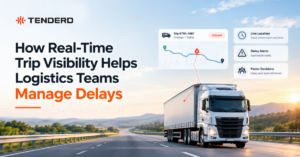
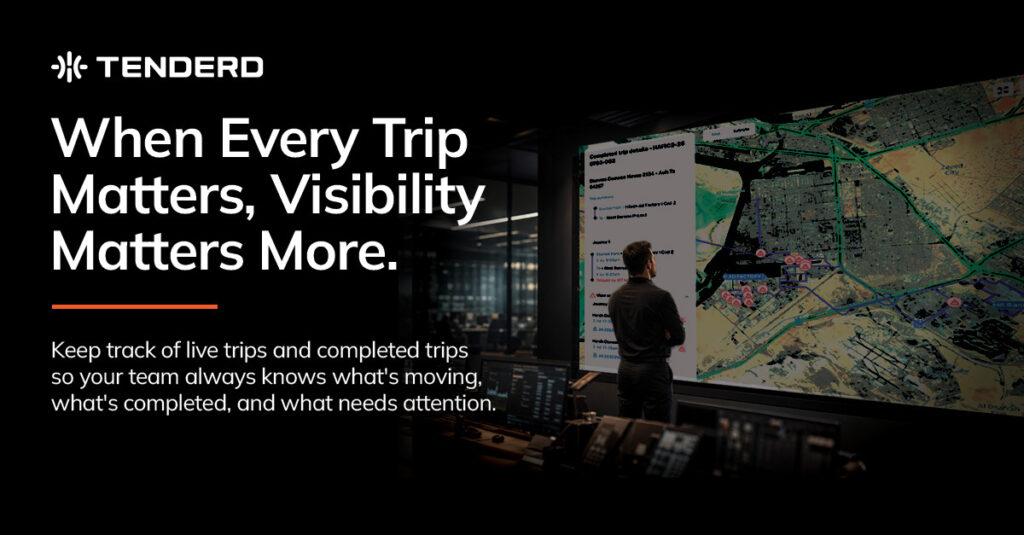
The fix starts with tracking the trip itself, not just the vehicle, as the unit that matters. A single trip can be built from a reusable template defining its stops, whether that is a simple pickup and delivery or a longer multi-leg journey, and every leg of that trip is tracked from start to finish under one connected record, rather than as separate, disconnected updates. For trips currently in progress, a live map shows exactly where the vehicle is right now, alongside its current status, replacing the phone call to the driver with a screen a dispatcher can check in seconds.
Delays and excessive rest time are flagged automatically rather than left for someone to notice. When a trip runs behind schedule, it is marked with the exact overage, a specific number of hours and minutes late, so a dispatcher already knows there is a problem, and how big it is, before a customer ever has to ask. The same applies to rest periods that run longer than they should during or after a journey. Trips can also be created automatically the moment a vehicle’s activity matches a known pattern, such as leaving a defined pickup zone, removing the need for a dispatcher to manually open a new trip every time one starts.
Once a trip is complete, it leaves behind a full, exportable record: the waybill number, load, distance travelled, duration, time spent at each destination, and any driving-behavior events that occurred along the route, plotted directly on that trip’s own map. That last connection matters because it ties execution to behavior directly. If a trip ran late, or something happened en route, the record shows not just that it happened but exactly where and when, all in one place rather than scattered across separate systems.
Phone-Based Trip Tracking vs. Live, Connected Trip Tracking
| Factor | Phone-Based Tracking | Live, Connected Trip Tracking |
| Finding a shipment’s current status | Call the driver and wait | Check a live map in seconds |
| Detecting a delay | Usually after a customer complains | The moment the trip runs behind, with the exact overage shown |
| Multi-leg trip visibility | Each leg tracked separately, manually stitched together | One connected record across every leg |
| Starting a new trip | Manually created by a dispatcher | Can start automatically on a geofence match |
| Completed trip records | Reassembled from multiple systems | One exportable record per trip, including behavior events |
Common Mistakes That Make Multi-Site Dispatch Harder Than It Needs to Be
- Tracking each leg of a multi-stop trip as a separate, disconnected job instead of one continuous record.
- Relying on phone calls as the default way to check a trip’s status, rather than a live map.
- Waiting for a customer to report a delay instead of flagging it automatically the moment it happens.
- Manually opening a new trip record every time a vehicle starts a job, instead of triggering it from a known geofence pattern.
- Keeping driving-behavior data separate from trip records, so a late or problematic trip can’t be explained by what actually happened en route.
Why This Matters for Fast-Growing, Multi-Site Operations
Fleets running across construction, logistics, energy, and mining operations in the GCC are increasingly expected to answer shipment and delivery questions immediately, whether that pressure comes from a client contract, a project deadline, or simple customer expectations set by faster-moving competitors. An operation that can only answer “where is my delivery” after a phone call is at a real disadvantage against one that can answer it from a live screen in seconds, and that gap only grows as the number of active sites and trips increases.
How TENDERD Helps Bring Order to Multi-Site Dispatch
TENDERD’s Logistics module tracks the full lifecycle of a delivery trip, from the moment a machine leaves an origin to the moment it completes its final stop, across as many chained legs as the job requires, as one connected record rather than a set of disconnected updates. Live trips show a real-time map and status for every in-progress journey, delays and excessive rest time are flagged automatically with the exact overage, and completed trips leave behind a full, exportable record including waybill number, load, distance, duration, time at destination, and any driving-behavior events plotted directly on that trip’s route. Trips can also be built from reusable Trip Configuration templates and created automatically on a geofence match, cutting down on manual dispatch work as the number of active sites grows.
The Bottom Line
Multi-site dispatch does not have to run on phone calls and after-the-fact reconstruction. The operations that manage it well are the ones with one connected view of every trip, live while it is happening and fully documented once it is done, so managing shipments across multiple sites stops feeling like chasing information and starts feeling like actually running the operation.
Want to see what live, connected trip visibility looks like across your own multi-site operation? Get in touch with the TENDERD team for a walkthrough: Book a Demo
Frequently Asked Questions
Why is managing multiple trips across different sites so difficult?
Once a fleet is running many trips at once across different pickup points and delivery zones, tracking each one individually without a connected view quickly turns into a stream of phone calls and manual status checks, and problems like delays are often discovered late.
How can dispatchers see where a shipment is without calling the driver?
A live map showing the trip's current status and location lets a dispatcher check on any in-progress trip directly from a screen, rather than needing to call the driver for an update.
How are delivery delays detected automatically?
A trip running behind schedule can be flagged automatically with the exact overage, for example a specific number of hours late, so the delay is visible the moment it happens rather than only when a customer raises the issue.
Can a trip be created without a dispatcher manually starting it?
Yes. Trips can be configured to start automatically when a vehicle's activity matches a defined pattern, such as leaving a known pickup location, removing the need to manually open every trip by hand.
What information is available once a trip is completed?
A completed trip leaves behind a full record including the waybill number, load, distance travelled, duration, time at each stop, and any driving-behavior events recorded along the route, all tied to that single trip.